Choose your review page.
Explore five templates, from Ratelah Classic to Night Market Neon. Choose the visual style that fits your business.
See the templates
HOW IT WORKS
Create a review page that feels like your business. Give customers a way to reach it, then help them put their experience into words.
01 / FOR YOUR BUSINESS
The design and the invitation work together. Start with the page customers will see, then bring it into your space.
Explore five templates, from Ratelah Classic to Night Market Neon. Choose the visual style that fits your business.
See the templatesUse the appearance controls to customise your page. Available theme and design adjustments depend on the template you choose.
Create a QR poster, customise its wording and download it for print. Customers can scan the code to open the customer-facing page.
Explore QR posters02 / THE CUSTOMER EXPERIENCE
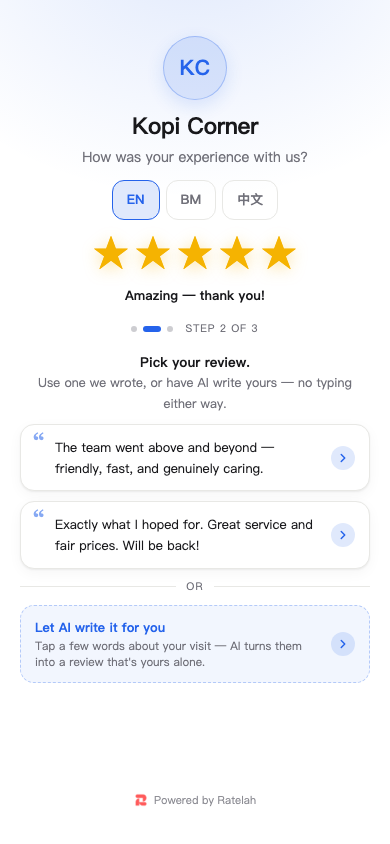
A familiar page. A choice of languages. A helping hand with the words.
Your QR poster opens the customer-facing review page.
Follow the review flow in English, Bahasa Melayu or Chinese.
Explore a review draft or use AI writing assistance to express what stood out about the visit.
BEFORE YOU SHARE
Preview your chosen design, check the business details and follow the QR link on a phone before displaying your poster.
A LITTLE MORE RATELAH.